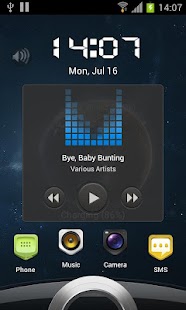
Sense 3 full locker theme
It will be helpful to use to resolve the issue.
Thanks!********If you like our app please rate us five stars.
Also your feedback is very important, please feel free to contact us at [email protected] if you meet any bugs or want any improvement!********Q&A:Q: How to find more Magic Locker Themes?A: You can press 'More Themes' button in 'MagicLocker Setting -> Themes Tab'.
Or search 'mobi.lockscreen.magiclocker.theme' in Google Market directly.
Q: How to install Magic Locker Themes?A: After you install a MagicLocker theme app, you need to run the theme app and press 'Install this theme' button in the theme dialog.
Q: How to uninstall Magic Locker Themes?A: You can long press a theme in 'MagicLocker Setting -> Themes Tab' then press 'Uninstall theme'.
Or go to 'System Setting -> Applications -> Manage applications' then find the theme App to uninstall as general App.
Q: Why the 'Lost Robot' theme can't be uninstalled from MagicLocker?A: 'Lost Robot' is the default theme in Magic Locker and Magic Locker must ensure there is at least one theme exist.
Q: Why a theme disappeared from 'MagicLocker Setting -> Themes Tab'?A: First, please ensure your SD card is available, if yes, please try to reinstall the theme app.
About Sense 3 full locker theme
- Package name (App ID)
- mobi.lockscreen.magiclocker.theme.paid.ml.sense3full
- Available on
- Google Play
- Price
- Free
- Version
- v2.0
Looking for the Sense 3 full locker theme APK?
The safest way to get Sense 3 full locker theme (mobi.lockscreen.magiclocker.theme.paid.ml.sense3full) on your Android device is to install it directly from Google Play — you'll always get the latest official version, automatic updates, and no risk of modified or infected APK files from third-party sites.
Music Features
Enjoy high-quality music streaming and playback features.
Gaming Features
Enjoy immersive gaming experience with various game modes.
News & Updates
Stay informed with the latest news and updates.
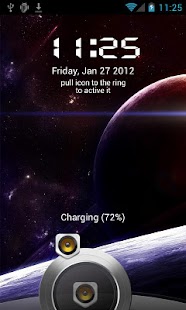
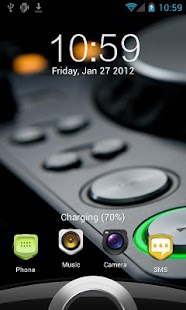
See Sense 3 full locker theme in Action
Frequently Asked Questions
Is Sense 3 full locker theme free?
Yes, Sense 3 full locker theme is free to download and install on Android through Google Play.
How do I install Sense 3 full locker theme on Android?
Open Google Play on your Android phone or tablet, search for Sense 3 full locker theme or tap the Google Play button on this page, then tap Install. The app downloads and installs automatically.
What is mobi.lockscreen.magiclocker.theme.paid.ml.sense3full?
mobi.lockscreen.magiclocker.theme.paid.ml.sense3full is the App ID (package name) of Sense 3 full locker theme on Google Play. Every Android app has a unique package name, and it is the safest way to verify you are installing the official app.
Is Sense 3 full locker theme safe to download?
Installing Sense 3 full locker theme from Google Play is the safest option: you get the official version, verified by Google Play Protect, with automatic updates. Avoid APK files from unofficial third-party sites.
Get Sense 3 full locker theme Today
Sense 3 full locker theme for Android — free download on Google Play.
Compatible with Android phones and tablets — available on Google Play.
Ask AI about this app
Get instant answers about features, tips and more from popular AI assistants.